
A screen recording of a product starts going stale the day after it’s made. A button moves or a column gets renamed, so the ad now shows an app that no longer exists. Recording again means editing again, once for every format the ad runs in.
So for the TrueTicket launch ad we didn’t record the screen at all. We rebuilt the parts of TrueTicket the ad shows (the sidebar, the tickets table, the create-ticket modal, a ticket’s detail with its conversation) as React components and animated them with Remotion, which renders React to video. We then packaged what we’d learned into a kit that any of our product repositories can clone as a video/ folder. The TRUE POS ad later added its own lessons to it. That kit is how we make product videos now. It’s also what we’ve started offering clients.
The interface is rebuilt from the real frontend
The recreated UI isn’t drawn from memory or from screenshots. The rule in the kit’s guidelines is to copy from the product’s own frontend (its stylesheet, its status badges, its option lists, its page components), so the colors and the Spanish strings in the video are the ones users see. Each project records where its frontend lives. That folder is treated as the source of truth for anything recreated.
Reading the code gets the layout close. To get it right, the guidelines ask us to drive the real app through its end-to-end test suite, pointed at a copy of the development data in a temporary folder (never at the development databases or production). From there we capture every state the video will show at the exact size we’ll recreate it. Running the flow catches things the code doesn’t make obvious. The first recreation of TRUE POS showed a percentage promotion on the product’s line, while the real app applies it to the whole receipt and only shows it in the totals. We’d have shipped that mistake from reading the code alone.
The demo data is fictional but realistic: Mexican businesses and places, amounts in pesos, CFDI invoices and ticket IDs that stay consistent from scene to scene. A real customer only appears if they’ve agreed to.
One source, every format
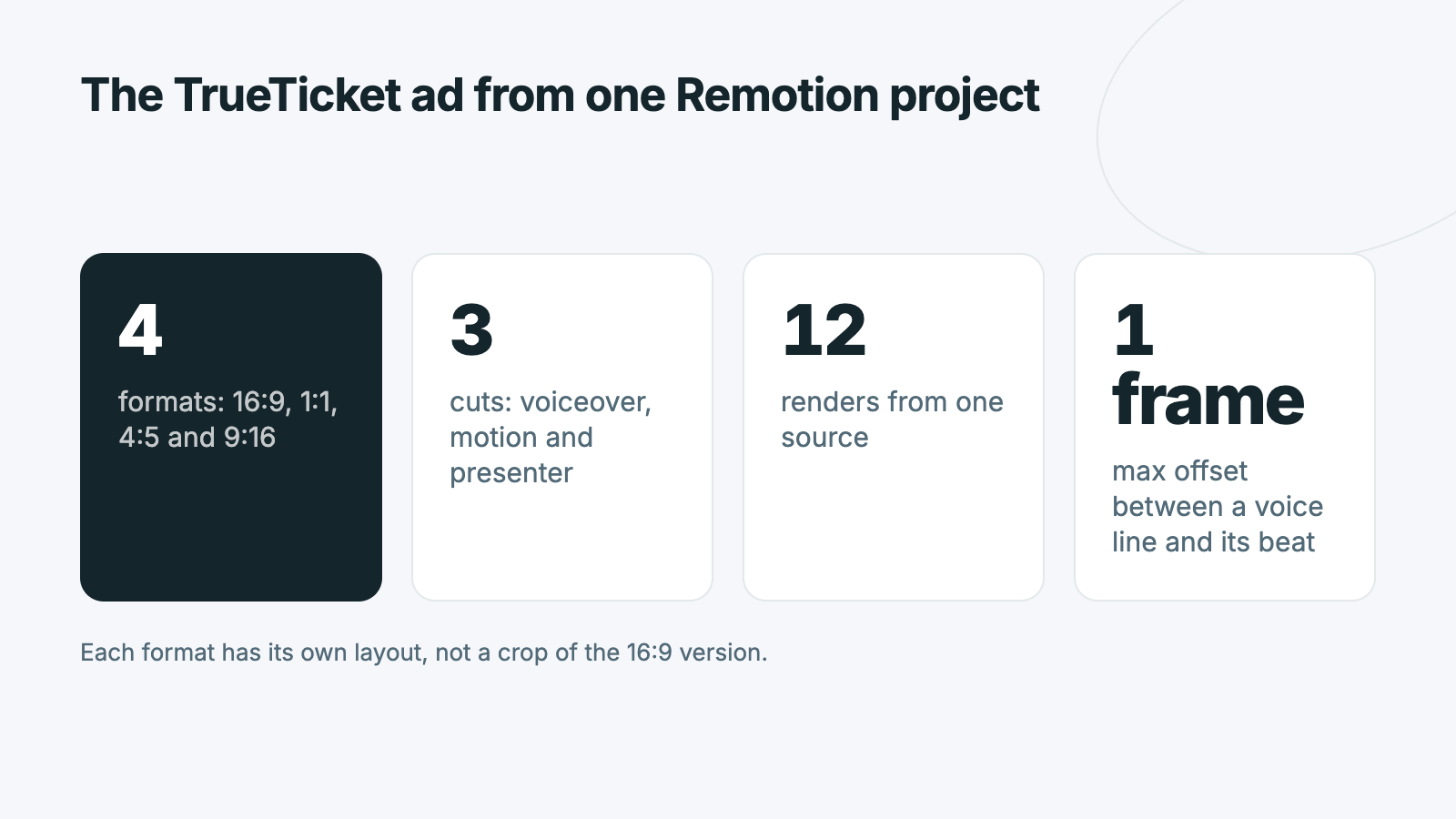
Scenes are designed once in 1920×1080 coordinates. Every video then renders in four formats. 16:9 goes to the web and YouTube, 1:1 and 4:5 go to LinkedIn and other feeds, while 9:16 covers Reels, Stories and Shorts. These aren’t crops. In 16:9 the copy and the visuals sit side by side, while in the other formats the copy stacks above the visuals and each visual block (a card or a panel, say) is fitted into its own box. Vertical video keeps everything inside a safe area, because the top 220 pixels and the bottom 340 pixels are covered by each app’s own buttons and captions.
Each video also comes in cuts. The TrueTicket ad has a voiceover cut and a motion-only cut with on-screen copy on the same timing. Its presenter cut puts a person beside the copy in some scenes while the voice carries over the product scenes. Three cuts in four formats gives twelve renders from one project. A change to a shared component shows up in all of them on the next render.
The voice is the clock
The kit’s guidelines describe the first version of the TrueTicket ad as fast, cluttered and out of sync. Many of the rules that got it to a calm, synced result are about timing.
The kit times everything from the real voice, never from an estimate. A timeline estimated from the script was up to five seconds off the take we actually got. Voiceovers are made in ElevenLabs and mastered by a script in the kit. The voice is cut into lines only inside pauses. Each line is placed by the onset of a key word, measured line by line. When a line runs long, the scene gets longer instead of the visuals getting squeezed. A verification step measures the render itself: every placed line has to land within one frame of its beat, while the final mix has to come out at -14 LUFS with true peaks at or below -1 dB. Nobody has to sit through every cut to check the sync, because the checks measure the render instead of listening to it.
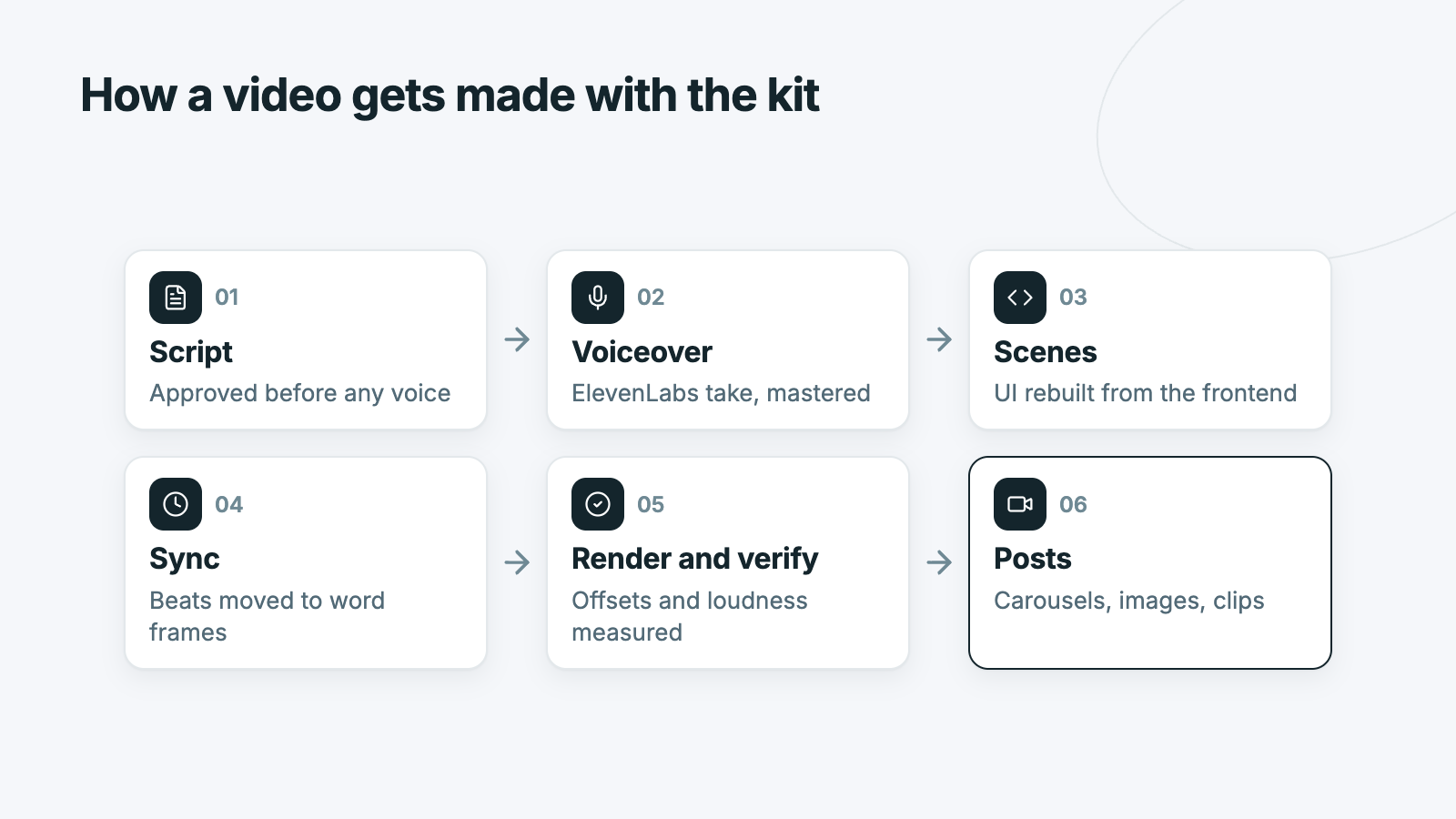
Rendering and every script run locally, with no rendering service involved. A doctor script checks the machine for Node, Python, ffmpeg and whisper.cpp and prints the fix for anything missing. One cost is worth knowing up front: Remotion is free for individuals and companies of up to three employees. Larger companies need its company license.
Posts from the same source
A launch is more than one video, so since last week the kit also builds the social posts around it from the video’s own source: LinkedIn carousels as PDFs and single images, plus captioned 4:5 clips. A slide that shows part of the product uses the same components as the ad, so fixing the ad’s UI fixes the carousel too.
How the kit stays useful
Each product repo owns its videos and media along with its README. The kit owns everything shared: the engine, the scripts, the guidelines and the brand assets. A project pulls kit updates with one command. Changes to the engine have a hard check before they’re merged: the TrueTicket reference ad has to stay pixel-identical, verified by rendering the same stills before and after and comparing them. Improvements found while making one product’s video go back into the kit, so the next video starts from everything the last one taught us.
Why it matters for a small team
We’re a small team with four products, and every one of them has to be explained to the people who might use it. Treating video as code means the next release video starts from the last one, and a redesigned screen costs an edit and a render instead of a new production. It’s the same reason we build software the way we do: work we repeat should be cheap to repeat. The TrueTicket and TRUE POS ads are what the kit produces today.